Frequently Asked Questions
What is the "Unified Quota"?
What happens if I buy multiple one-time packs?
Every time you buy a new one-time pack, your entire account quota balance—including any old minutes you haven't used yet—gets its deadline extended to 30 days from the latest purchase. You never lose older minutes (up to an account maximum of 720 min) as long as you top up before they expire.
Example 1: You bought a one-time pack and another one BEFORE the expiry date
You currently have 300 min of Unified Quota expiring on 20 Jan 2026 at 2 pm EST. You bought another 180 minutes at 11 am EST, 20 Jan 2026. Your new account total is now 480 minutes, and this expires on 19 Feb 2026 at 11 am EST.Example 2: You bought a one-time pack and another one AFTER the expiry date
You currently have 300 min of Unified Quota expiring on 20 Jan 2026 at 2 pm EST. You bought another 180 minutes at 2:30 pm EST, 20 Jan 2026. Your new account total is now 180 minutes, and this expires on 19 Feb 2026 at 2:30 pm EST.Example 3: You have 600 min Unified Quota and buy a one-time pack of 180 min BEFORE the expiry date
You currently have 600 min of Unified Quota expiring on 20 Jan 2026 at 2 pm EST. You bought another 180 minutes at 11 am EST, 20 Jan 2026. Your new account total is now 720 minutes, not 780 min, and this expires on 19 Feb 2026 at 11 am EST. The excess 60 min is lost.However, we take reasonable measures to ensure you cannot buy more than 120 minutes if you already have 600 minutes to avoid losing minutes you paid for.
In case you have overpaid for the minutes, please contact support@unclassicbytes.com with the Transaction ID on your invoice, and we would be happy to add extra minutes or provide a partial refund to fix the issue.
Is there a maximum amount of minutes I can hold?
Is there a trial period or free trial?
How do I create an account?
I do not have a Gmail account. How do I login?
Can I use a Google Workspace account with a custom domain?
Refund and Cancellation Policy
We provide refunds for purchases with valid reasons.
Wherever possible, if we are able to fix the issue, we may alternatively grant you extra minutes to make up for the loss instead of a refund.
Please contact support@unclassicbytes.com within 7 days of your purchase with the Transaction/Invoice ID and details of your issue.
Billing FAQs
I purchased a one-time pack but did not use it. Can I get a refund?
Write Subject: Refund Unused Purchase Invoice ID: [Your invoice ID]
I partially used my minutes but cannot use the app due to technical issues. Can I get a refund?
If we are able to fix the issues, we can grant you extra minutes to make up for the loss.
We can also refund the money, fully or partially depending on the minutes used, if you are no longer interested.
Please contact support@unclassicbytes.com with the Invoice ID on your invoice and your preference for a refund or a fix.
Write Subject: Technical Issues Purchase Invoice ID: [Your invoice ID]
If a refund is issued, how long does it take to be credited?
Where can I find my Invoice/Transaction ID?
You can log in to your Stripe Customer Portal using the email address you used for payment and look for the
transaction invoices. 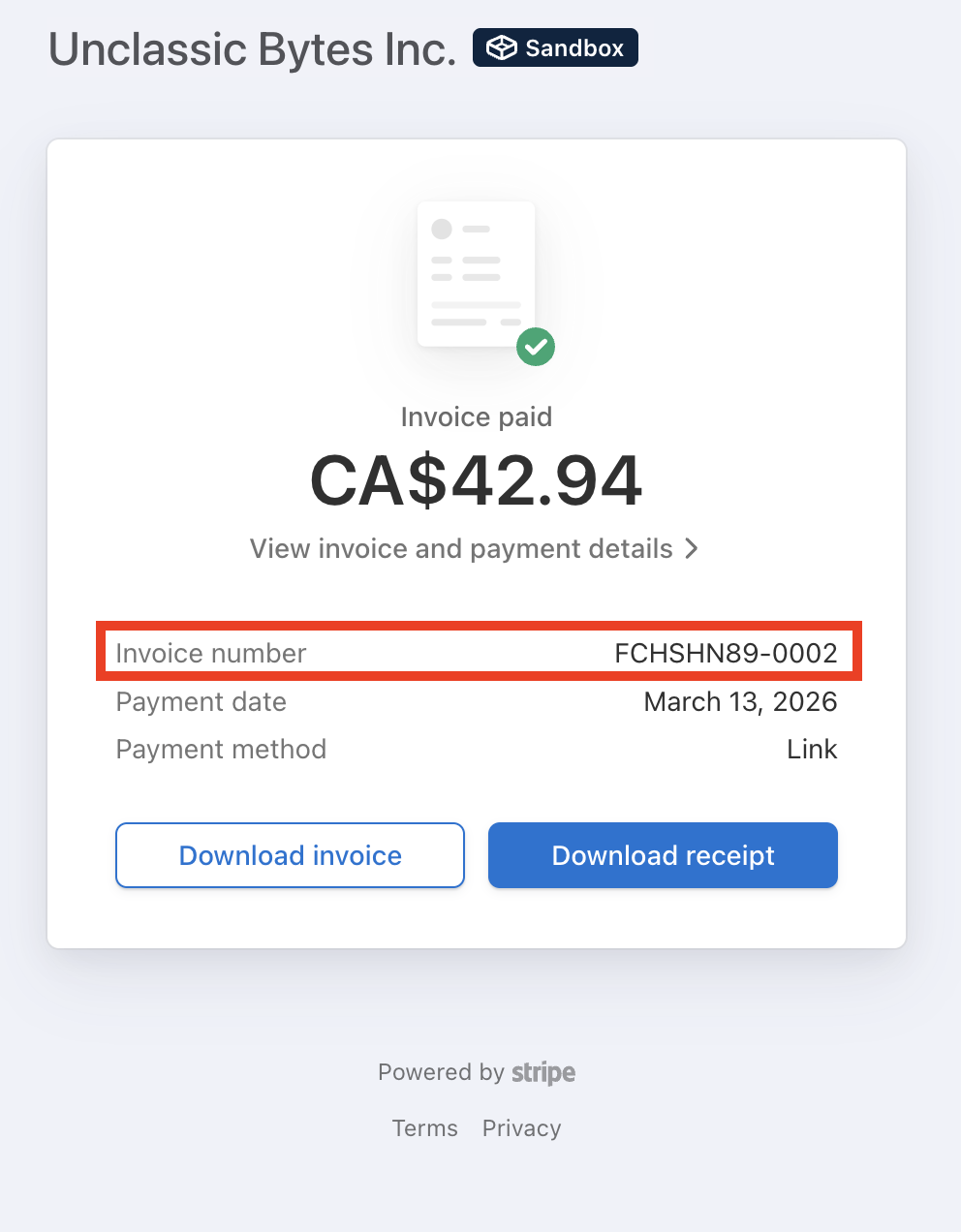
You can find your Invoice ID in the invoice receipt sent to your email/download from customer portal. 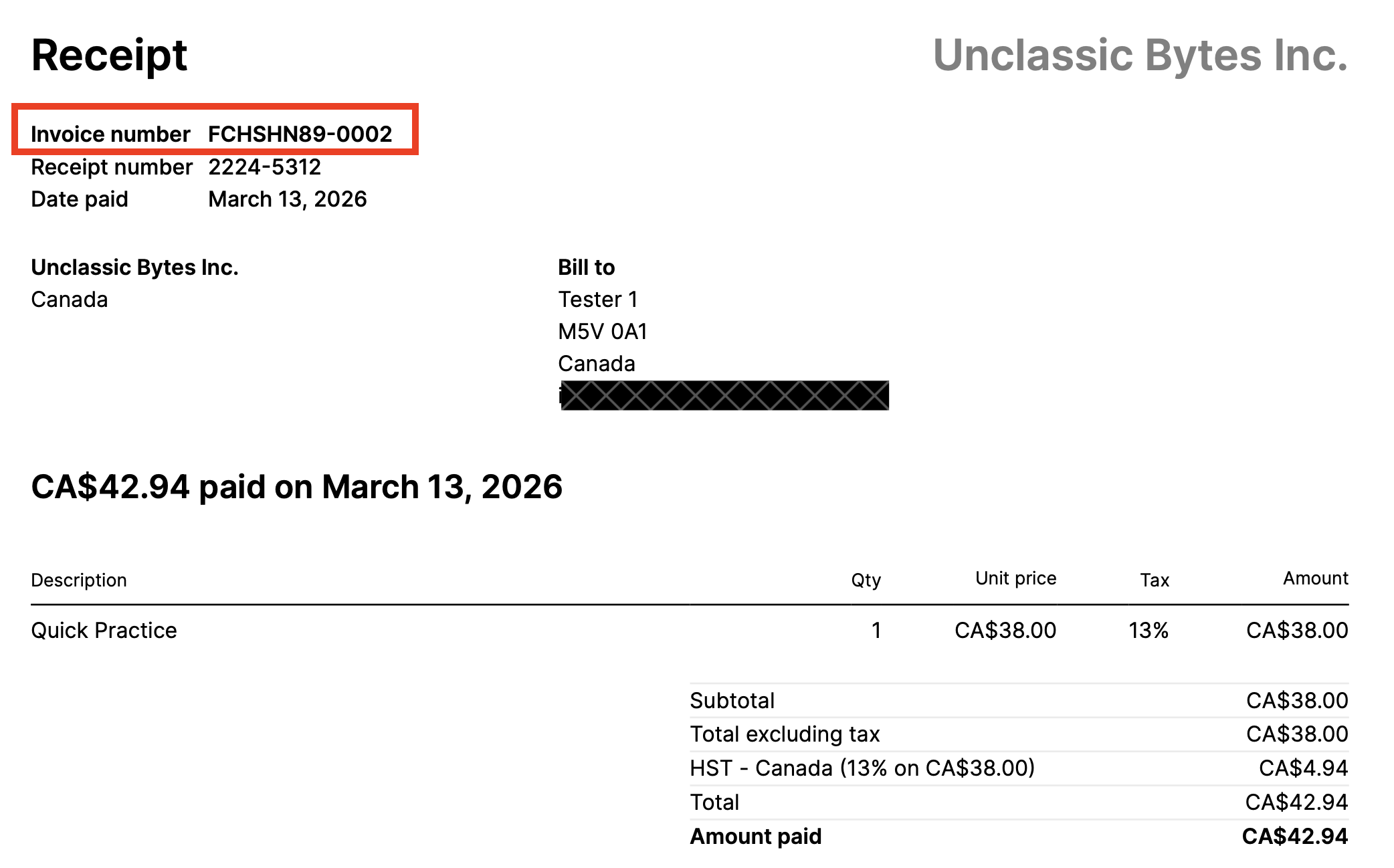
You can find your Transaction ID during checkout process. 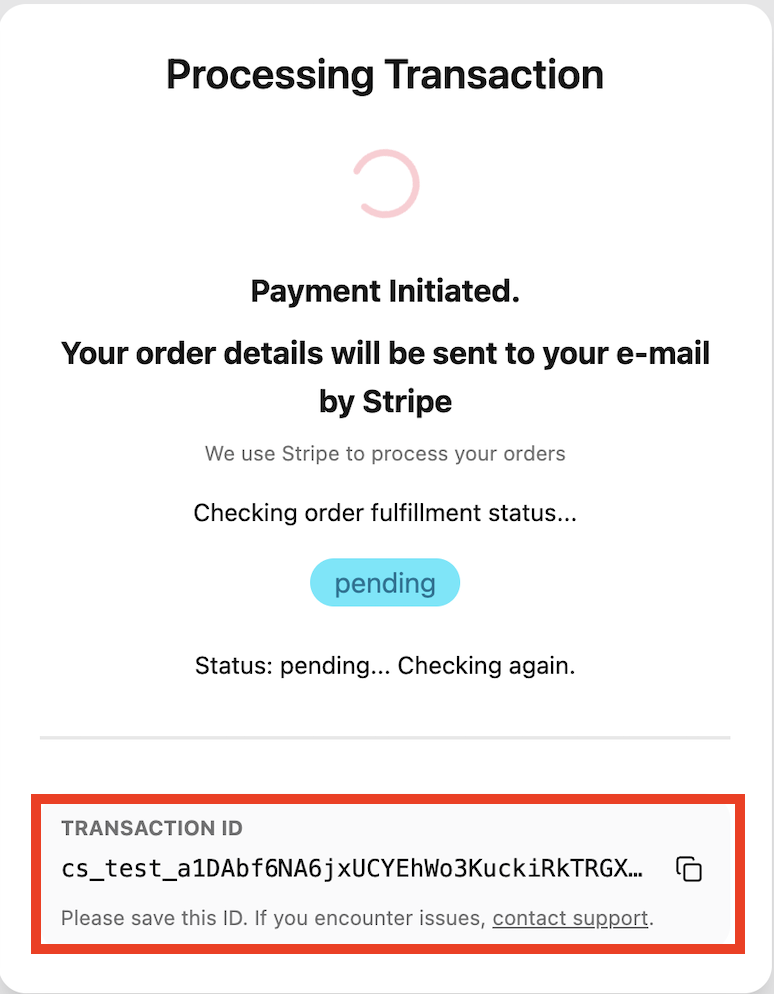
How do I log in to the Customer Portal?
- Go to the Stripe hosted Customer Portal and enter the email used during purchase.
- You will receive a link to login from Stripe if the email is valid. Click the link to login to your customer portal.
- You can also find the link to Customer portal on the Navigation menu under your Profile icon.
